

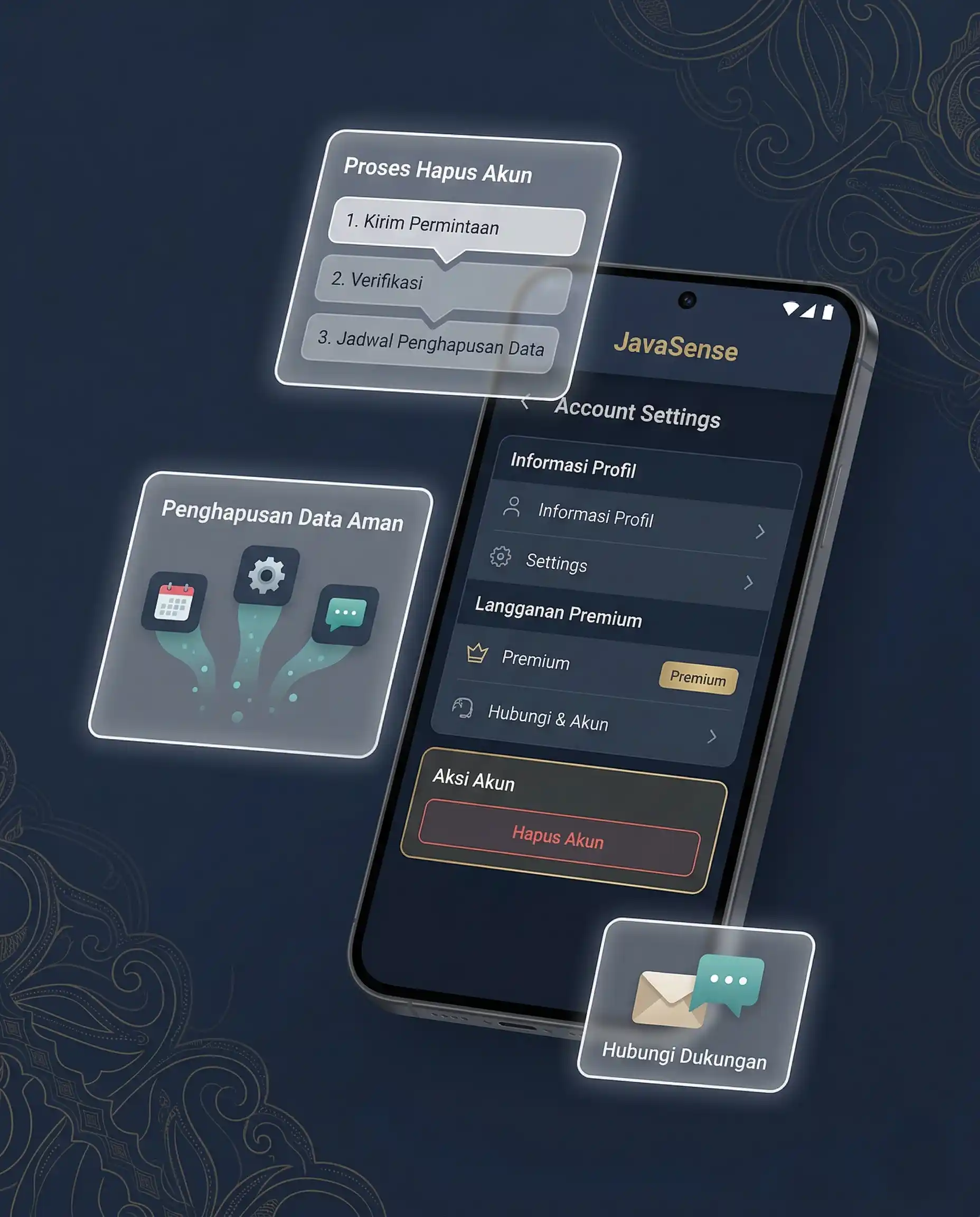
This page is prepared to keep the deletion path clear, visible, and easy to find. If account-based premium access, login, or personalization becomes active in the future, users will have a dedicated route to request account deletion and related data review.
At the current free-use stage, JavaSense core features do not always require an account. However, because future premium access may include account-based features, this page is prepared in advance as part of JavaSense’s data transparency commitment.
User data should be handled carefully: collected only when needed, explained clearly, and removable through a reasonable request path.
What Delete Account JavaSense Means
Delete account JavaSense means the process for requesting the removal of a JavaSense account or account-linked data, where such account-based features are active.
The purpose of this page is to provide a clear support path. Users should not have to search through unrelated support messages just to understand how account deletion and related data removal can be requested.
If no account has been created or used, there may be no server-side JavaSense account to delete. In that case, local app data may usually be managed directly from the user’s device settings, such as clearing app data or uninstalling the app.
Quick Summary for Users
Here is the simple version of how account deletion and data removal work in JavaSense:
- Users may request review of account deletion through Contact Us or the official support email.
- If a JavaSense account exists, users may request deletion of the account and related data.
- If no account exists, local app data can usually be removed from the user’s device.
- Some data may be retained for limited reasons such as security, transaction records, fraud prevention, legal compliance, or deletion documentation.
- Deleting a JavaSense account does not always cancel Google Play subscriptions or purchases.
The term delete account JavaSense on this page refers to account removal and account-linked data review within the JavaSense service context. It does not automatically mean every record disappears instantly without any limited retention.
7 Safe Key Points about Delete Account JavaSense
Before submitting a request, users should understand these 7 key points about the delete account JavaSense process.
- The request should be clear. Users should explain which account or data they want reviewed for deletion.
- Verification may be required. JavaSense may ask for reasonable verification to prevent unauthorized deletion requests.
- Local data is different from account data. Local app data can often be cleared directly from the device.
- Account deletion applies only when an account exists. If no account was created, there may be no server-side account to remove.
- Some records may be retained in limited form. Security, transaction, billing, or compliance records may need restricted retention.
- Google Play subscriptions are managed separately. Deleting a JavaSense account may not automatically cancel Google Play billing.
- Official contact channels should be used. Requests should be sent through Contact Us or the official JavaSense email.
When to Use This Page
Use this page if you want JavaSense to review a request to delete a premium account, future account-based profile, or data connected to an account-based JavaSense service.
This page is most relevant when account-based premium access, login features, personalization, or profile-based services are active. If the version of JavaSense you use does not require account creation, you may not need to request account deletion.
If you are unsure whether you have a JavaSense account or only local app data on your device, you may still contact us. JavaSense can help identify which path is relevant to your request.
How to Request Account Deletion
To request account deletion or related data removal, please contact JavaSense through Contact Us or email hello@javasenseapp.com.
To make the request easier to review, use a clear subject line such as:
- Delete Account JavaSense
- JavaSense Account Deletion
- JavaSense Data Deletion Request
In your message, include enough information to help us identify the account or data involved. Depending on the active feature design, this may include your registered email address, profile name, premium purchase context, or another reasonable identifier connected to the account.
For security reasons, JavaSense may request additional verification before deletion is completed. This helps reduce the risk of someone requesting account deletion on behalf of another person without authorization.
What Data May Be Deleted
If account-based features are active, JavaSense may delete data reasonably connected to the user’s account or profile, subject to technical limits and legal or security requirements.
Data reviewed for deletion may include:
- JavaSense account profile;
- email address or identity used for login;
- premium account settings;
- account-based preferences;
- personalization data connected to the account;
- support or communication records where relevant and legally permitted.
The exact scope may vary depending on the active JavaSense version, available features, and the type of data actually stored.
What Data May Be Retained
Some data may need to be retained in limited form even after an account deletion request has been processed. This retention may be necessary for security, fraud prevention, legal compliance, transaction records, billing references, or documentation that the deletion process was completed.
Examples of data that may be retained for limited reasons include:
- transaction or billing records;
- premium purchase references;
- fraud-prevention or abuse-prevention records;
- legal compliance records;
- minimal logs needed to document that account deletion was processed.
Limited retention does not mean the account remains active. It means certain records may remain for restricted purposes separate from normal account use.
If You Do Not Have an Account
If you only use JavaSense free features without creating an account, there may be no JavaSense account stored on our systems that needs deletion.
In many cases, local data such as language preferences, intro status, or local usage settings can be removed through your device settings. You may clear app data or uninstall the app from your device.
If you previously contacted JavaSense by email or through a contact form, you may still request review of that communication where relevant and legally permitted.
Premium Access and Google Play Purchases
Deleting a JavaSense account is not always the same as cancelling a Google Play subscription. If premium access is billed through Google Play, subscription cancellation generally needs to be handled through the user’s own Google Play account and Google Play’s billing flow.
Account deletion may remove a JavaSense profile or account used inside the service, but users should still review and manage active purchases or subscriptions through the official platform where the purchase was made.
This distinction matters because deleting an account does not automatically rewrite third-party billing rules.
Review and Processing Time
JavaSense aims to review deletion requests within a reasonable period after receiving enough information to verify and process the request.
Processing time may vary depending on information completeness, account complexity, the active service version, the type of data involved, and whether additional verification is needed.
If a request cannot be completed immediately, JavaSense may reply with follow-up questions or a short explanation. If the request is better handled as local device data removal, we may direct users to that simpler device-level path.
Official Google Play Reference
For Android app context, Google Play explains that apps enabling account creation must provide an in-app path and a web link resource where users can request deletion of app accounts and associated data.
Users and developers may read the official reference at Google Play account deletion requirements.
Related Links
- Privacy Policy
- Terms and Conditions
- Disclaimer
- Editorial Policy
- JavaSense Ads Premium
- Download the JavaSense App
- Contact Us
Contact
If you have questions about delete account JavaSense, account deletion, related data requests, or support communication removal, please contact us through Contact Us or email hello@javasenseapp.com.
Account deletion requests should ideally be sent from the same email address connected to the account, purchase, or previous support communication so verification is easier.
To help us review your request faster, include clear information such as account email, usage context, and what data you want removed.
Last updated: May 18, 2026
FAQ about Delete Account JavaSense
How can I request JavaSense account deletion?
You can request JavaSense account deletion through the Contact Us page or by emailing hello@javasenseapp.com with information about the account or data you want removed.
Does JavaSense currently require an account?
JavaSense free core features do not always require an account. This page is prepared for current or future account-based features, premium access, or personalization.
What data may be deleted?
If an account exists, data that may be deleted can include the account profile, account-based preferences, premium settings, and data reasonably connected to the account.
Does deleting a JavaSense account cancel Google Play subscriptions?
Not always. If a subscription is billed through Google Play, users should manage or cancel it through their own Google Play account.
How long does account deletion take?
JavaSense aims to review requests within a reasonable period after receiving enough information for verification and processing.